
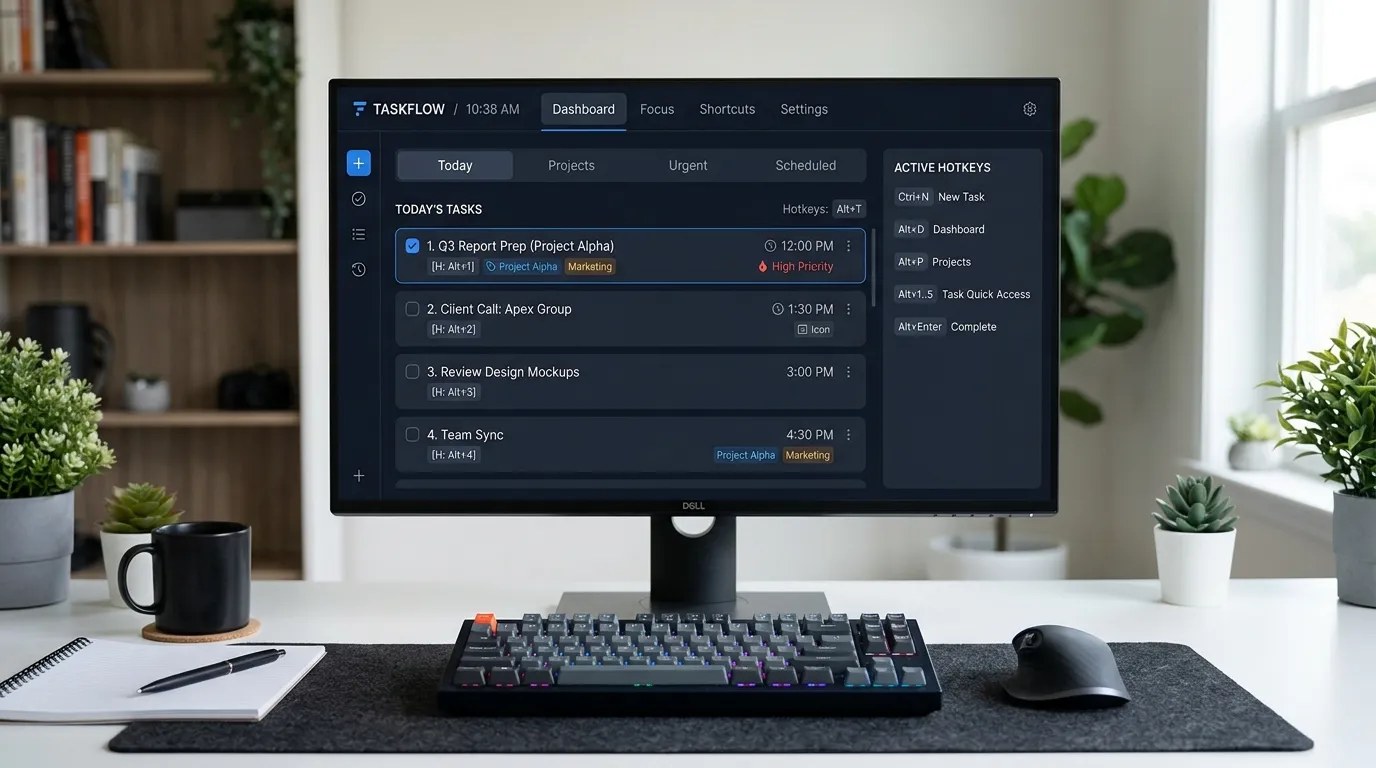
Discover how implementing a hotkey task manager profoundly transforms modern learning environments, replacing digital friction and administrative chaos with deep, focused calm for students.
This comprehensive guide explores how rapid keyboard-driven productivity tools reshape educational experiences. You will learn practical strategies for reducing cognitive overload, minimizing digital distractions, and fostering a tranquil campus culture that empowers learners to focus entirely on their academic success.
The Intersection of Digital Navigation and Cognitive Calm

When observing modern educational institutions, one immediately notices the immense emphasis placed on digital literacy and academic rigor. However, students and faculty often face an unseen and exhausting burden: digital administrative friction. From toggling between complex research tabs to navigating confusing learning management systems, the sheer physical and mental effort of using software creates significant stress. By integrating a highly efficient hotkey task manager, institutions and individuals can systematically eliminate these micro-bottlenecks. This deliberate environmental and digital design mirrors the principles required to foster deep learning.
In higher education, learners face unprecedented levels of digital distraction. Administrators and educators must design learning ecosystems that actively restrict this external noise. By establishing clear, automated, keyboard-driven processes, educational institutions help students cultivate the mental clarity needed for complex problem-solving. A structured digital environment reduces anxiety, leading to a state of calm focus where true academic transformation occurs. When digital paperwork and task capture flow seamlessly in the background via quick keystrokes, the human mind remains free to engage in creative, critical, and uninterrupted thought.
What is a hotkey task manager?
To draw accurate parallels between technology and student well-being, we must first understand the specific mechanics of these digital tools. At its core, a hotkey task manager is an application designed to allow users to capture, organize, and execute tasks using rapid keyboard shortcuts, completely bypassing the need to navigate via a computer mouse. While traditionally used in fast-paced corporate environments or by software developers to track complex projects, its application in the educational sector is revolutionary.
This strict, automated structure forces digital processes to be intentional, immediate, and error-free. When students are required to navigate complex university systems or record thesis notes, a well-implemented digital tool ensures they do not get lost in a maze of tabs and app windows. Intentionality breeds focus. By requiring active presence only for academic endeavors and automating task management, effective educational pedagogies emphasize the importance of order. This seamless background operation maintains campus calm.
The Psychology of Keyboard Shortcuts in Learning
Reducing Cognitive Friction
Understanding how the brain processes information is vital for optimizing education. Cognitive load theory suggests that our working memory has a strictly limited capacity. When students are bombarded with extraneous physical and visual information—such as how to navigate a clunky university website, find the right app, click a menu, and open a new task window—their ability to learn and retain information plummets.
Using a hotkey task manager strips away this extraneous load. Simplifying digital interfaces, standardizing learning management systems, and minimizing administrative red tape all contribute to a significantly lighter cognitive load. Instead of losing their train of thought while searching for a to-do list app, a student simply presses a key combination, types their thought, hits enter, and returns to their essay. This allows students to dedicate their mental energy entirely to understanding complex academic concepts.
Fostering Flow States
The concept of “flow”—a state of deep, effortless concentration—is the holy grail of education. Flow states are easily broken by minor interruptions. Reaching for a mouse to click through menus acts as a physical interruption that pulls the brain out of the academic material and forces it to focus on software navigation. By keeping hands on the keyboard, a hotkey task manager allows the physical act of writing and the organizational act of task planning to merge into one continuous, uninterrupted motion. This preserves the flow state, keeping students calm, focused, and deeply immersed in their learning.
Overcoming Educational Overload with Rapid Task Management
Education inherently carries stress. Students balance rigorous coursework, financial pressures, social dynamics, and career anxieties. When institutional technology feels clunky or overly complicated, it adds to this stress. The philosophy behind deploying a hotkey task manager in education roots itself in minimizing this friction to cultivate mental calm and deep focus.
Consider the psychological concept of cognitive overload once more. When working memory receives too much uncoordinated, digital information, comprehension drops. A student working on a research paper who suddenly remembers an upcoming financial aid deadline will likely panic. If they stop their research to open a browser, log into a portal, and write a reminder, they have lost their academic focus for at least fifteen minutes. However, when they use a hotkey task manager, they capture that financial aid reminder in less than two seconds without ever leaving their research document. The message becomes digestible, the anxiety is offloaded to a trusted system, and the student feels instantly comforted.
Structured Comparison: Mouse Navigation vs. Keyboard Efficiency
To clearly illustrate the paradigm shift required for modern educational institutions, we must compare legacy digital habits with modern keyboard-driven approaches.
|
Feature |
Mouse-Driven Task Management |
hotkey task manager |
Educational Outcome |
|---|---|---|---|
|
Capture Speed |
15-30 seconds (high friction) |
1-2 seconds (low friction) |
Preserves student focus |
|
Cognitive Interruption |
High (visual context switching) |
Minimal (stays in current window) |
Reduces learning anxiety |
|
Physical Movement |
Requires hand repositioning |
Hands remain on keyboard |
Fosters deep flow states |
|
Mental State |
Frustrated, fragmented, anxious |
Intentional, deliberate, calm |
Deep focus, reduced cognitive load |
|
Task Completion |
Slow, prone to distraction |
Fast, accurate, predictable |
Academic success, well-being |
Understanding this table is crucial for leadership teams attempting to secure budget and buy-in for new educational software. The transition requires moving away from clunky, visually overwhelming portals and embracing radically efficient, student-centric digital philosophies.
Implementing System Automation in Higher Education
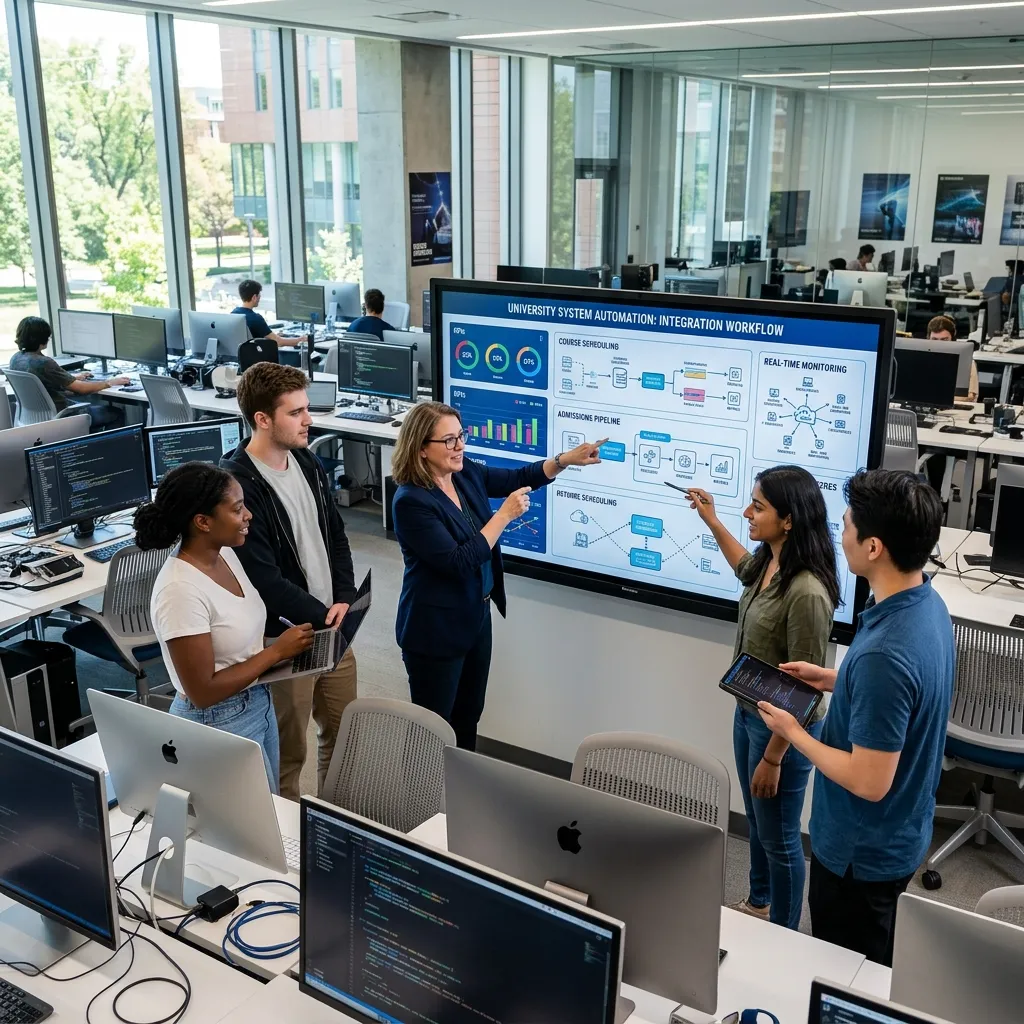
Building a successful unified digital strategy requires meticulous attention to campus technology. The goal is to blur the lines between complex administrative duties and the actual learning experience, creating a singular, uninterrupted workflow for the student body.
Upgrading Campus Infrastructure
A unified strategy requires seamless technological integration. Institutions must ensure their internal systems support rapid data capture. Upgrading your digital campus infrastructure is essential for maintaining a modern educational program. This means providing reliable software licenses to students, ensuring learning management systems can integrate with local keyboard shortcut tools, and implementing accessible digital asset management protocols.
Furthermore, a robust digital foundation allows for advanced personalization. Imagine a scenario where a prospective student uses a university-provided hotkey task manager to organize their application steps. Because the digital infrastructure utilizes intelligent design, the student feels a sense of control and calm right from the beginning of their academic journey.
Boosting Institutional Success and Student Well-being
Getting students to enroll is only half the battle; keeping them engaged until graduation represents an entirely different challenge. Dropout rates often spike when learners feel isolated, overwhelmed, or unsupported by their institutional technology.
Enhancing Retention Through Technology
Integrating highly efficient organizational tools is one of the most effective student retention strategies available to modern educational leaders. When sophomores and juniors learn how to manage their massive workloads using a hotkey task manager, they experience a vital lifeline. This prevents the feeling of drowning in assignments.
This technological empowerment normalizes the immense workload inherent in higher education. It tells the user that the work is manageable if the right systems are in place. By consistently providing tools that highlight efficiency and resource utilization, institutions build a deeply supportive community. Students who feel in control of their digital lives demonstrate significantly higher resilience and academic persistence.
Modernizing the Admissions Process
The traditional admissions process often feels opaque and intimidating to prospective applicants. They read statistics, track dozens of deadlines, and manage complex document submissions. Integrating concepts of rapid organization directly into enrollment marketing funnels fundamentally changes this dynamic. When a high school senior learns that a university provides free productivity software and teaches digital organization, the institution becomes highly attractive.
This authentic representation acts as a powerful conversion tool. It moves prospective applicants from casual interest to deep engagement. When an applicant sees a university investing in their mental calm and cognitive focus, the prospect of attending that institution becomes a tangible, exciting reality.
Core Features of an Educational Task System
Not all software is created equal. For a hotkey task manager to truly transform the educational experience, it must possess specific capabilities tailored to the needs of students and faculty.
Universal Quick Capture
The most critical feature is the global quick capture window. No matter what application a student is using—whether they are watching a lecture on Zoom, reading a PDF, or writing in a word processor—pressing a specific keyboard combination should instantly bring up a minimalist text box. This allows the student to log a thought, set a due date, and dismiss the box in seconds, returning exactly to where they left off.
Natural Language Processing
Students do not have time to manually click through calendar grids to select due dates. A proper hotkey task manager utilizes natural language processing. A student can simply type “Read biology chapter 4 tomorrow at 3pm,” and the software automatically schedules the task. This feature completely removes the administrative burden of date and time management, contributing heavily to a calm, anxiety-free learning environment.
Custom Keybindings
Every user has a different workflow. The ability to customize keybindings ensures that the software adapts to the student, rather than forcing the student to adapt to the software. If a specific keyboard shortcut conflicts with a student’s coding software or graphic design tool, they must be able to change it effortlessly.
Common Mistakes to Avoid When Using a hotkey task manager
Transitioning to a rapid, keyboard-driven workflow presents unique challenges. Users frequently stumble by carrying over outdated, mouse-driven habits. Here are the most prominent pitfalls to avoid:
First, avoid creating an overly complex tagging system. When students first download a hotkey task manager, they often try to create dozens of specific projects, tags, and sub-folders. This completely defeats the purpose of rapid capture. The strategy thrives on simplicity. Create broad categories like “Academics,” “Personal,” and “Admin,” and let the search function do the heavy lifting.
Second, do not ignore the daily review. A hotkey task manager is exceptional at capturing information quickly, but if a student never looks at the list, anxiety will return. Students must build a habit of spending five minutes at the end of each day reviewing the tasks they captured and organizing them for the following day.
Third, never use the task manager for long-form note-taking. These tools are designed for actionable items. Trying to paste entire lecture transcripts into a task window will bloat the software and slow down the rapid capture process. Keep tasks actionable and brief.
Finally, failing to learn the secondary shortcuts undermines the entire initiative. While the global capture shortcut is the most important, students must also learn the shortcuts for prioritizing tasks, assigning dates, and completing items without touching the mouse.
Pro Tips and Expert Insights for Educational Productivity
Leading voices in educational technology and cognitive psychology consistently highlight the necessity of unified, friction-free digital experiences. According to productivity experts, professionals and students who rely on keyboard shortcuts save an average of eight entire workdays per year just by eliminating mouse travel time.
Pro Tip: Use the “Inbox Zero” methodology in conjunction with your hotkey task manager. Capture every single thought, assignment, and distraction into the default inbox during the day. Do not worry about organizing them in the moment. Then, set a daily recurring alarm for 4:30 PM to process that inbox, assigning dates and projects. This separates the act of capturing from the act of organizing, maximizing your cognitive focus during study hours.
Another vital expert insight is the importance of digital minimalism. Hide the dock or taskbar on your computer and operate your applications entirely in full-screen mode. When you need to remember something, use your hotkey task manager. When you need to switch apps, use your operating system’s keyboard switcher. Removing visual clutter from the screen profoundly impacts the brain’s ability to maintain a calm, relaxed state of focus.
Real-World Applications for Students and Educators

The theoretical benefits of a hotkey task manager are clear, but the practical applications are where the true transformation occurs.
Consider a university professor grading fifty term papers. As they read, they notice a recurring grammatical error. Instead of stopping their grading process to open their syllabus document and make a note for next semester, they hit a quick keyboard shortcut, type “Update syllabus to cover passive voice,” hit enter, and continue grading. The professor maintains their grading flow, saving time and reducing frustration.
Similarly, consider a student with ADHD who struggles with working memory. During a fast-paced lecture, the professor mentions an upcoming reading assignment that is not on the official syllabus. A student relying on physical planners will frantically search for their pen, flip to the right date, and write it down, missing the next three minutes of the lecture. The student utilizing a hotkey task manager simply presses Command+Space, types the assignment, and immediately returns their visual focus to the professor. This equitable access to rapid organization levels the playing field for neurodivergent learners.
The Future of EdTech and Focused Learning Environments
As digital landscapes advance, the boundaries of educational technology will continue to expand. We are rapidly approaching an era where frictionless digital environments will be the primary drivers of institutional reputation.
Imagine an educational ecosystem where every student is trained on rapid, keyboard-driven productivity during freshman orientation. Universities could provide custom-built iterations of a hotkey task manager that natively integrate with the school’s library databases, financial portals, and learning management systems.
This profoundly supportive approach represents the true future of education. By removing administrative friction, anticipating cognitive limits, and maintaining a unified, calm digital environment, institutions can foster unprecedented academic success. In this environment, students are free to dedicate their full mental capacity to learning, discovering their passions, and preparing to change the world.
The deep exploration of cognitive load reveals a profound truth: how we interact with our digital tools dictates how we think. By stabilizing brain energy and eliminating interface navigation, keyboard-driven therapies offer unparalleled mental calm and focus. Start optimizing your digital health today. Audit your software habits, prioritize minimalist tools, and unlock your true academic potential.
Conclusion
Embracing a dedicated hotkey task manager is essential for modern educational success. By empowering students with frictionless organizational tools, institutions significantly reduce digital anxiety and create a deeply supportive, focused environment. Start auditing your campus technology strategies today, invest in rapid-capture productivity, and build a cohesive ecosystem that drives enrollment, boosts retention, and champions long-term academic excellence.
Frequently Asked Questions
1. What exactly constitutes a keyboard-driven task tool?
It is a specialized productivity application that allows users to capture, edit, and organize their to-do lists entirely through keyboard shortcuts, bypassing the need for mouse navigation and reducing the physical friction of using software.
2. How does this software improve student focus?
By delivering a nearly instant method to capture distracting thoughts or new assignments, this approach reduces cognitive overload. Students spend less time navigating apps and more time redirecting their mental energy toward their actual academic coursework.
3. Are these tools difficult for average students to learn?
No. While they sound technical, modern tools are designed with user-friendly interfaces. Learning the primary shortcut to open the capture window takes only a few seconds, and the mental relief provided makes the brief learning curve highly worthwhile.
4. Is it expensive to provide these tools on campus?
It can be highly cost-effective. Many top-tier productivity applications offer significant educational discounts or free foundational tiers. Providing a campus-wide license yields an incredible return on investment when compared to the cost of student dropout rates caused by academic overwhelm.
5. Can neurodivergent students benefit from this approach?
Absolutely. Students with ADHD or executive dysfunction often struggle with working memory and object permanence. A rapid capture tool acts as a dependable external brain, allowing them to log tasks instantly before the thought disappears, drastically reducing academic anxiety.
6. How does frictionless technology impact retention rates?
An organized, calm digital strategy allows institutions to foster a deep sense of capability. When struggling learners possess the tools to easily manage complex syllabi without feeling overwhelmed, they feel supported and are significantly less likely to drop out.
7. Does this replace standard calendar applications?
Not necessarily. Most rapid task tools integrate directly with popular calendar applications. The task app acts as the lightning-fast capture point, while the calendar remains the visual layout for time-blocking and attending scheduled lectures.
8. How do mobile devices fit into this keyboard-driven strategy?
While the primary benefits occur on laptop and desktop environments where keyboards are prominent, most tools offer companion mobile apps. This ensures that when a student captures a task on their phone between classes, it instantly syncs to their desktop environment for processing later.
9. What are the biggest challenges in campus implementation?
The primary challenge is digital habit change. Students are accustomed to visually clicking through chaotic screens. Training them to trust their keyboard and adopt “Inbox Zero” methodologies requires clear communication, workshops, and strong institutional leadership.
10. How do administrators measure the success of these software programs?
Success is measured through improved key performance indicators such as overall grade point averages, decreased late assignments, and retention metrics. Additionally, qualitative feedback via campus surveys regarding student mental health and decreased administrative anxiety are vital metrics to track.